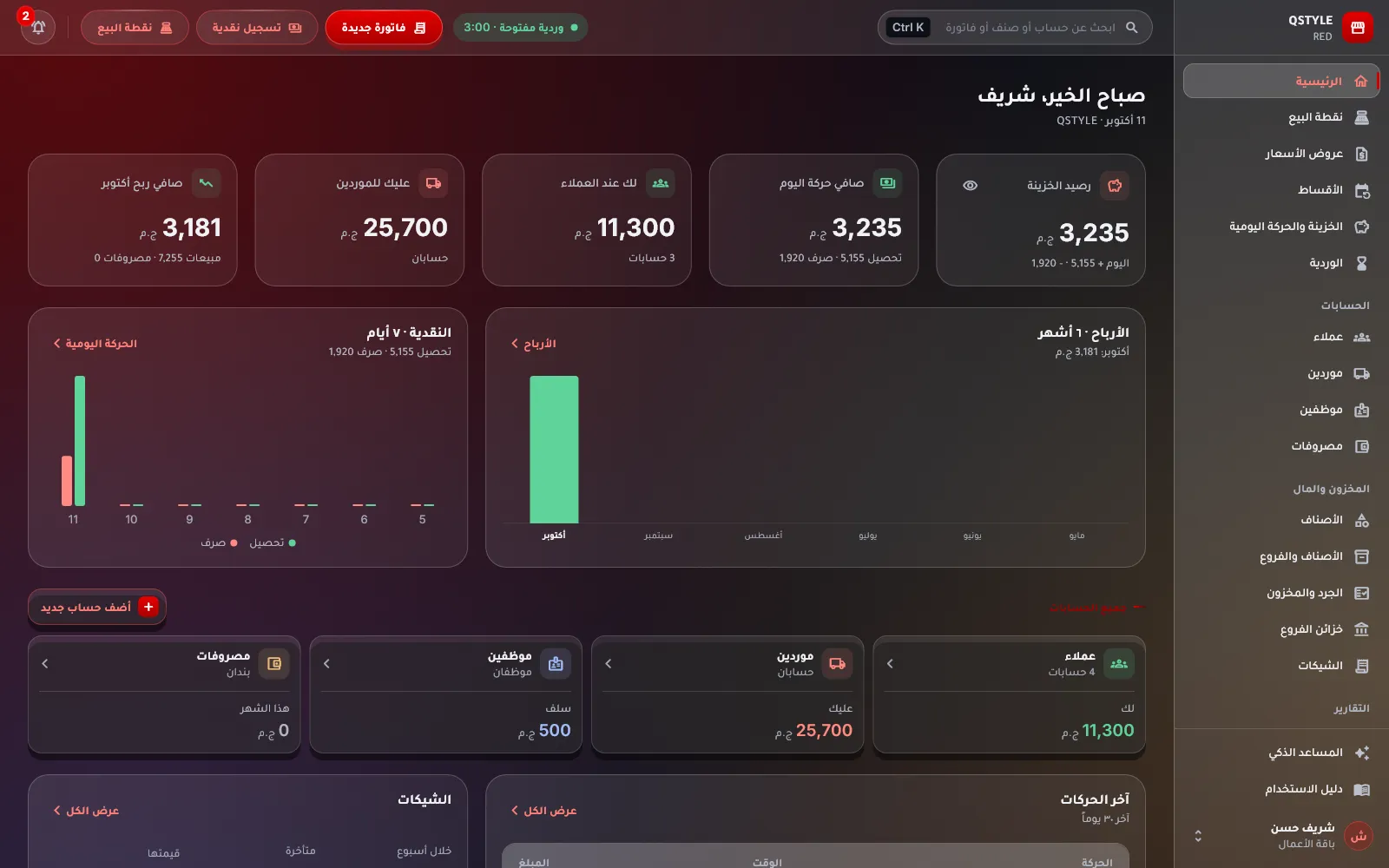
For shop owners and points of sale: sell at the counter by barcode, follow every branch with its own stock, cash box and shifts, run your staff with roles, attendance and payroll, and know your net profit every day — from the shop PC or your phone, in your language and currency.
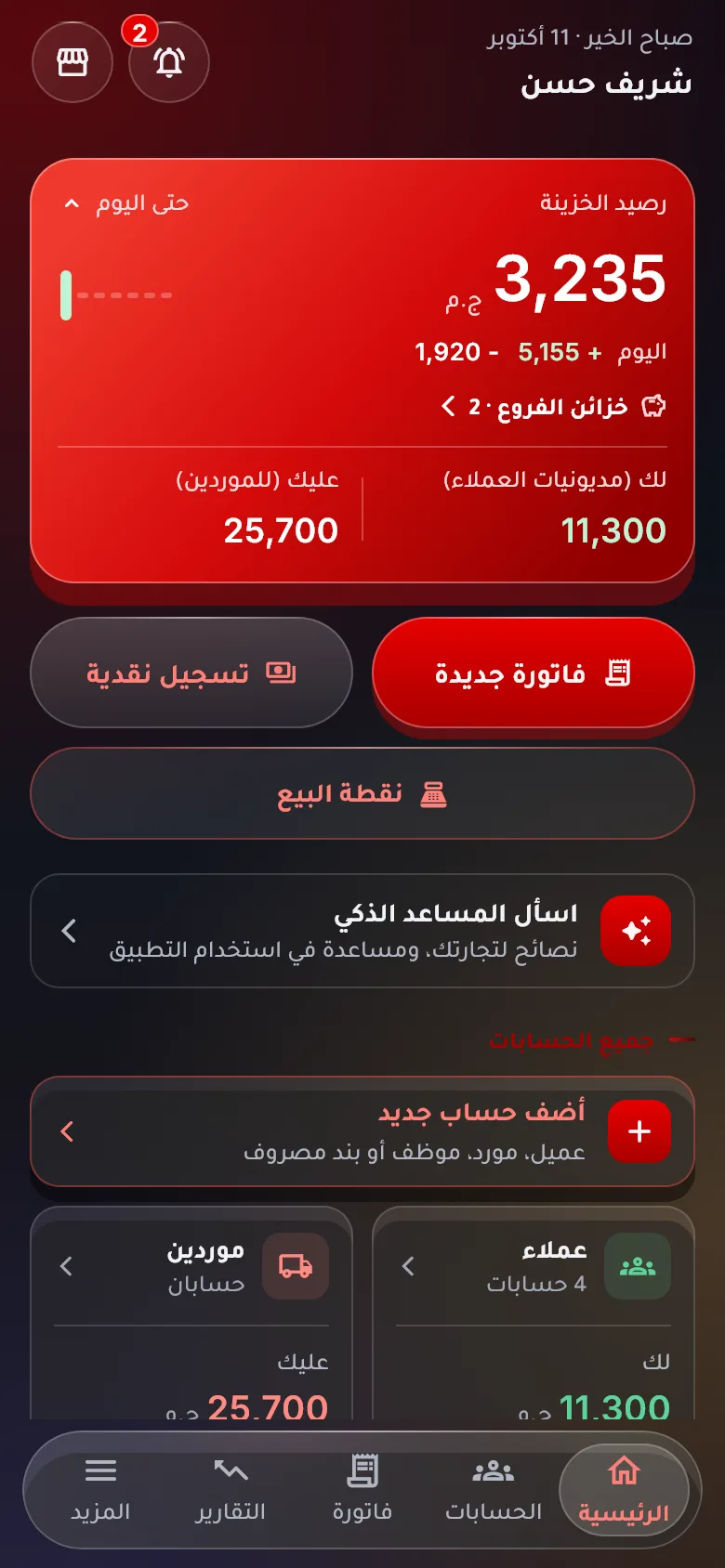
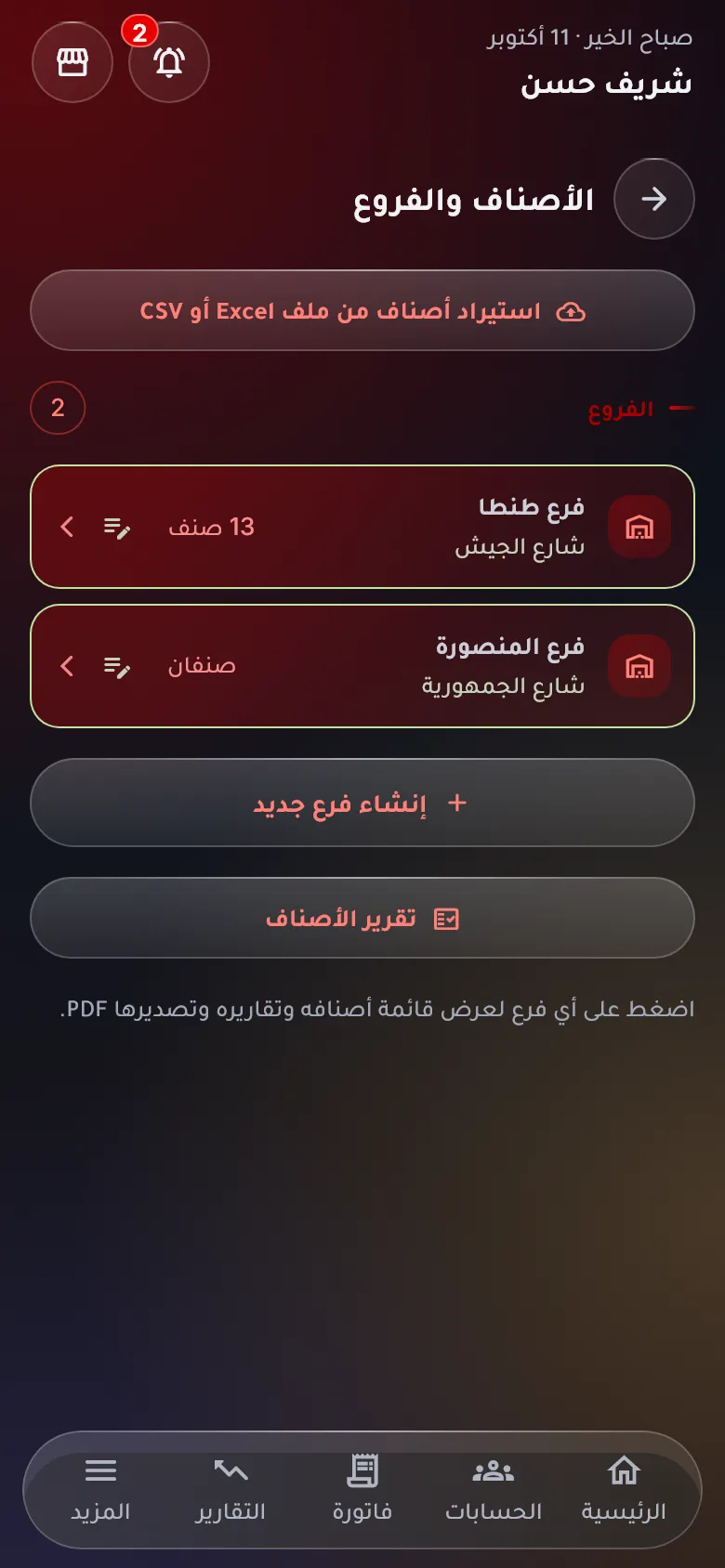
Every branch in RED has its own stock, cash box, staff and shifts, and you watch them all live from wherever you are: who sold what, how much is in each drawer and what is running low in each store.
Stock and cash per branch
Each branch’s goods and cash stand on their own; the total is on your home screen.
Transfers between branches
Move goods with a transfer document: taken out here, put in there, automatically.
Blind stocktakes the owner approves
The manager counts without seeing the book figure; you approve the difference and it is posted as a shortage or surplus.
Everyone sees only their part
The cashier sells without seeing costs or the cash box, the manager sees their branch, you see everything.
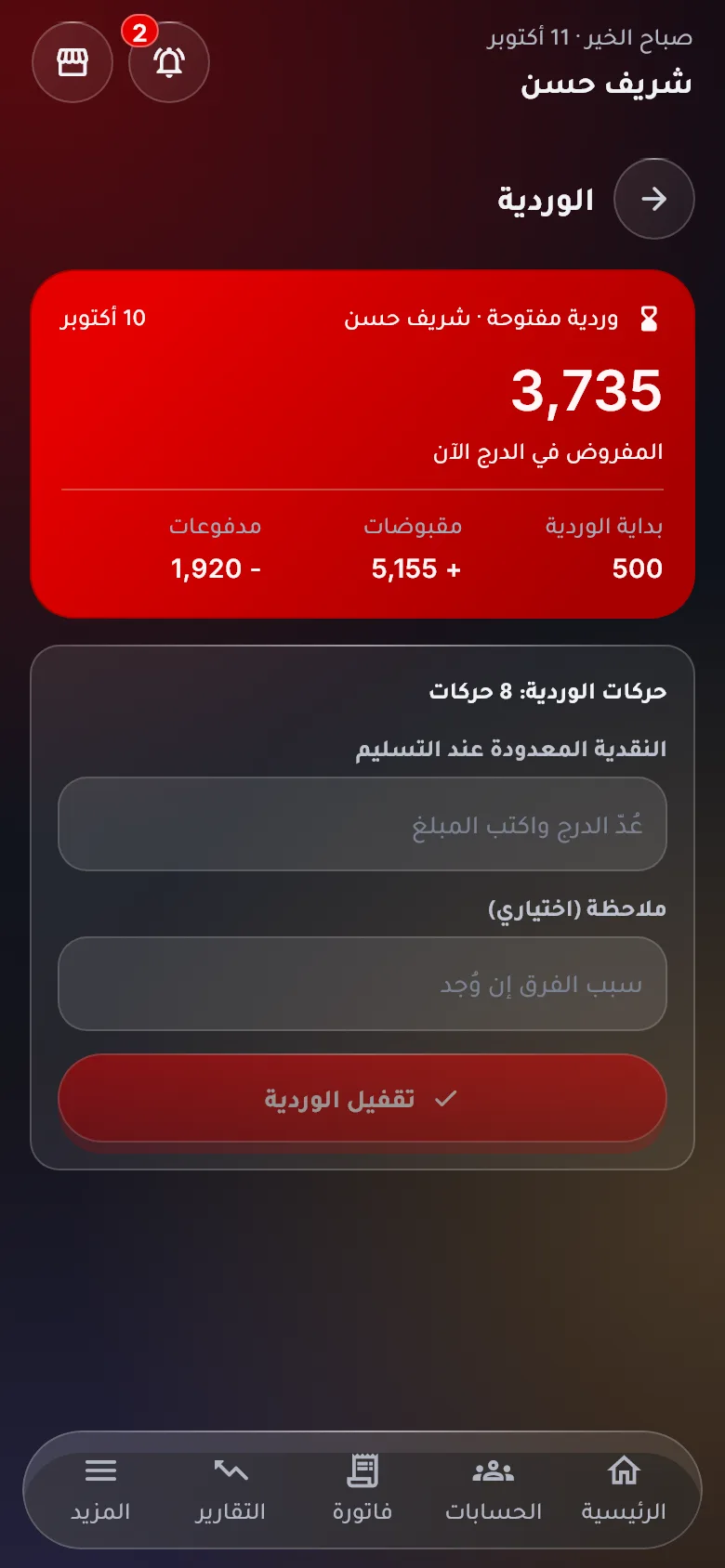
A shift per drawer
Open with a float, record the shift’s sales and expenses, close with a count against the expected cash.
Saved in the cloud
Every invoice uploads as it is made; if a device breaks or is lost, your data is intact on any other.
Barcode cashier
Fast sales, returns by receipt, thermal receipts
Sizes and colours
One model with all its sizes and colours
Unlimited branches
Stock, cash box and shifts per branch
A team with roles
Cashier, manager, accountant, PIN users
Attendance and payroll
Clock in from the employee’s phone by code and location
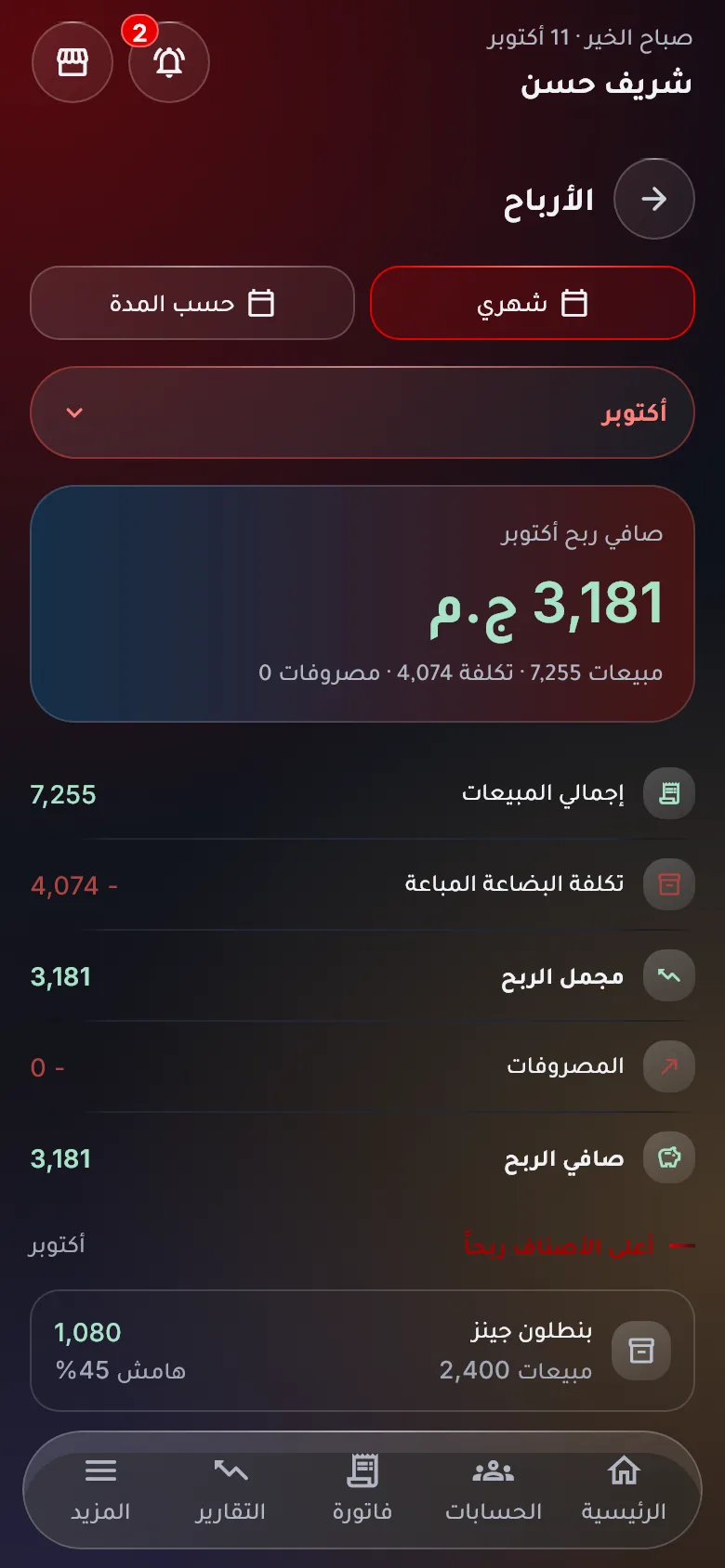
Profit and statements
Daily and monthly, PDF and Excel
Features
Everything a shop needs, from the counter to the balance sheet
RED covers the whole cycle of a shop: selling at the counter, stock in every branch, staff with their shifts and attendance, then profit and financial statements — without an accountant and without the complexity.
Point of sale
A cashier that sells in seconds and never miscounts
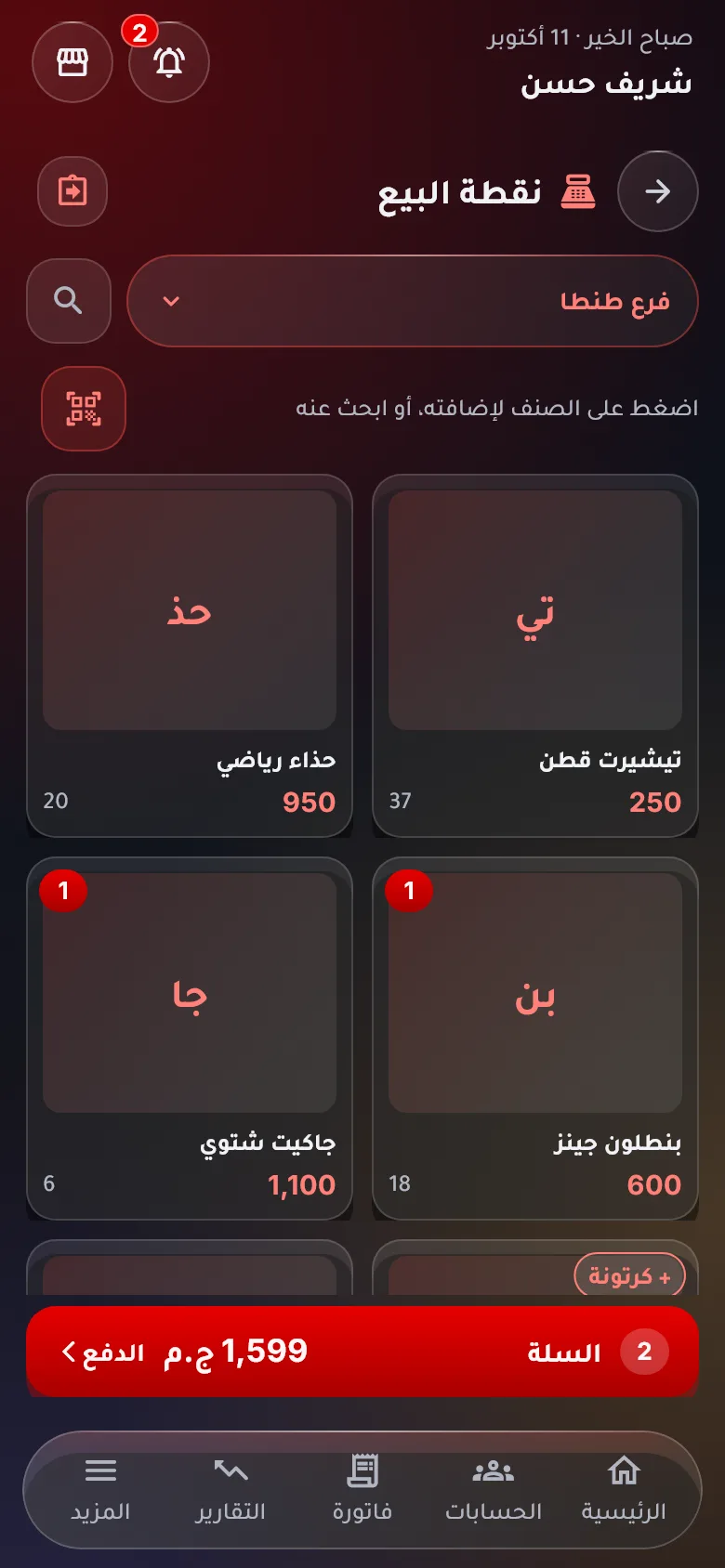
Scan the barcode or type two letters of the name and the item is in the cart with its price and stock. Pay in cash, by wallet or on the customer’s account, and print the receipt or send it on WhatsApp.
Item barcodes, scale barcodes for weighed goods and carton barcodes for packs
Sell by the piece or by the carton; stock is always taken in the base unit
Hold a cart and open another; returns or exchanges by scanning the receipt
Discount on a line or on the invoice; promotions apply by themselves
Thermal receipt printing and barcode labels for your items
Several users on the same device with a PIN; switch cashier in one tap
Items and models
One model with all its sizes and colours
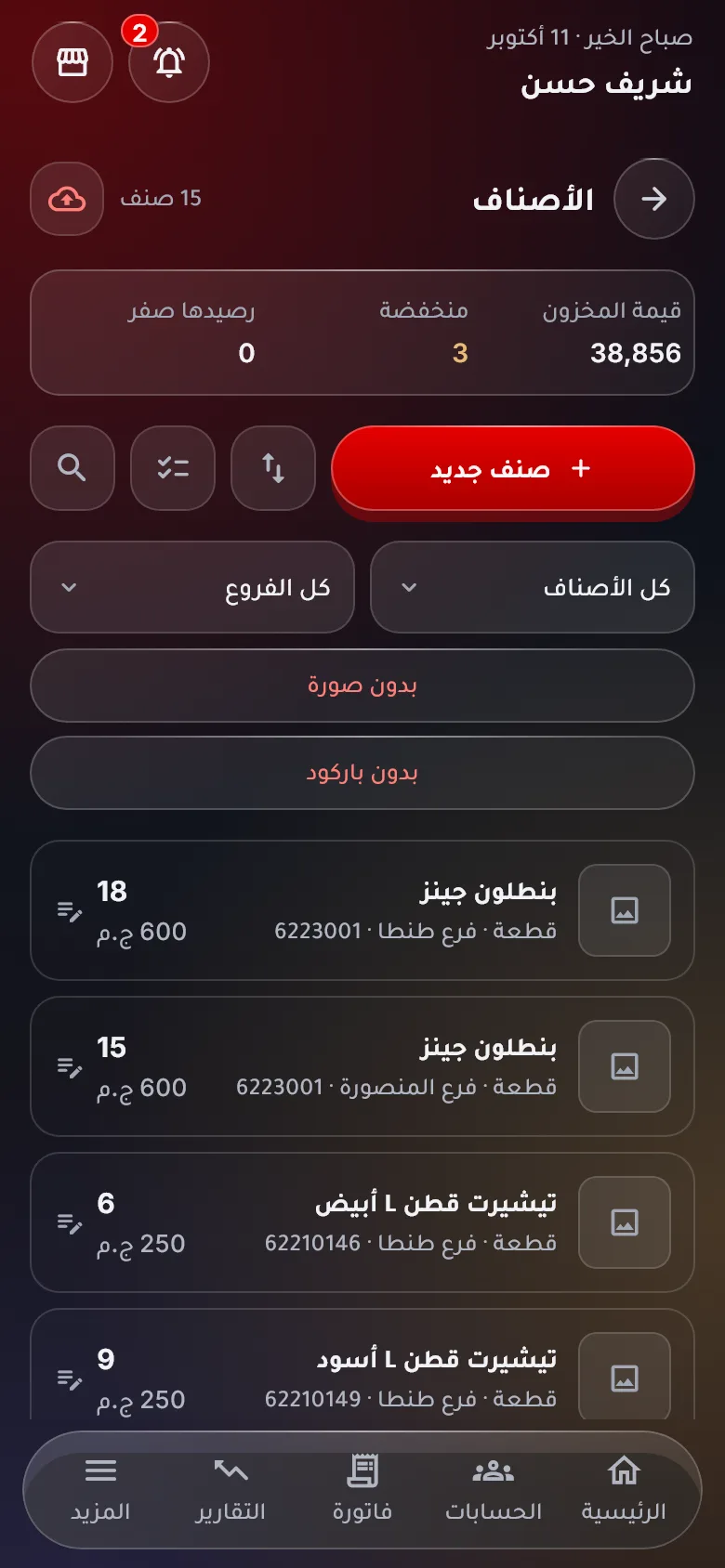
For clothing, shoes and mobiles: create the model once and pick its sizes and colours; RED creates every item with its own barcode, and one report tells you what sells in each size and colour.
Items with photo, unit, buying and selling price and reorder level
Models by size and colour, with a separate barcode per size
Pack units: a carton or a dozen with its own price and barcode
An item card with every movement: sales, purchases, transfers, counts
Import items and models in one go from Excel
A PDF catalogue with photos and prices to send to customers
Branches and stock
Accurate stock in every branch, transfers with a document
Every sale and purchase moves its own branch’s store. Move goods between branches with a transfer document, count any branch with a blind stocktake the owner approves, and stock value follows the average cost.
A separate store per branch and a branch filter on every screen
Transfers, write-offs and adjustments as numbered stock documents
Blind stocktake: the manager counts, the owner approves the difference
An alert when any item in any branch reaches its reorder level
Suppliers, purchase invoices, returns and what you owe them
Staff, shifts and attendance
Every employee with their permissions, every shift with its count
Add your team with ready roles — owner, manager, cashier, accountant, viewer — or edit each role’s permissions yourself. The cashier opens a shift with a float and closes it with a count, and RED works out the expected cash and the difference.
Roles with the permissions you set: who sees costs, who edits prices, who deletes
Users on the till device with a PIN; every invoice carries the name of who made it
Shifts with opening, closing and expenses; the expected drawer is computed for you
A full log of who did what and when, and deleted records you can restore
Clock-in from the employee’s phone by QR code and location — no fingerprint device, no extra seats
Schedules, leave and requests, and a monthly payroll from actual attendance
Sales tools
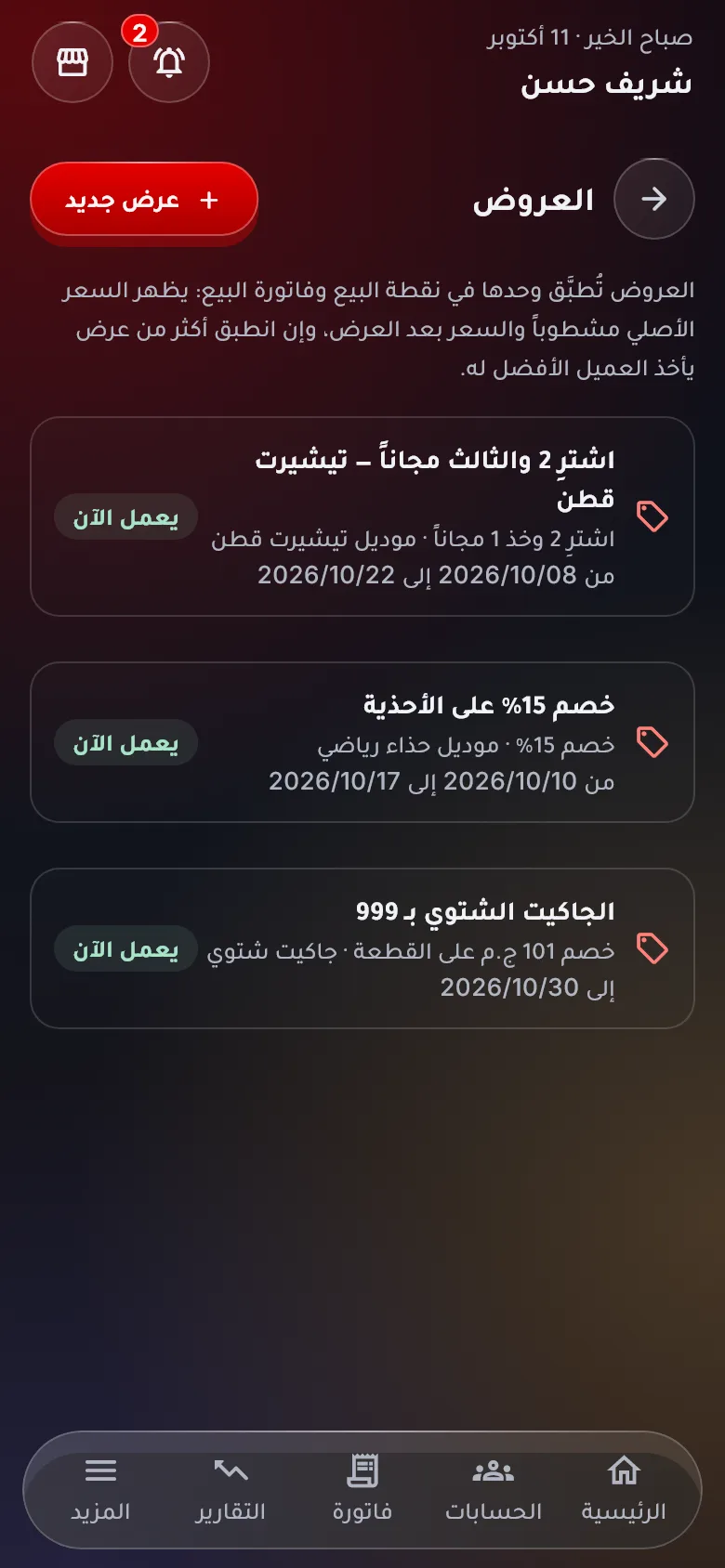
Promotions, loyalty and installments that lift your sales
Set up a “buy 2, get the third free” or a discount on a category for a set period, give customers points they redeem at the counter, and sell on installments with a clear schedule.
Promotions by item or category — a percent, an amount or a free quantity — with start and end dates
Loyalty points earned on every invoice and redeemed as a discount
Installment sales: a down payment and dated installments with reminders for late ones
Quotations that turn into an invoice in one tap
Debit and credit notes, and statements for customers and suppliers
Incoming and outgoing cheques with their due dates
Profit and reports
Net profit per branch, and financial statements ready to go
Sales minus the cost of goods, expenses and salaries, per branch and for the whole business. An income statement and a financial position at a tap, and every report exports to PDF or Excel.
Daily and monthly profit, a comparison with last month, per branch
Income statement and financial position from your actual movements
Best sellers, sizes and colours, and expenses by category
Daily movements for every cash box and shift
Export every report to PDF or Excel with your business logo
A smart assistant that answers about your business and explains the app
On the shop PC
The cashier screen on the computer, the follow-up on your phone
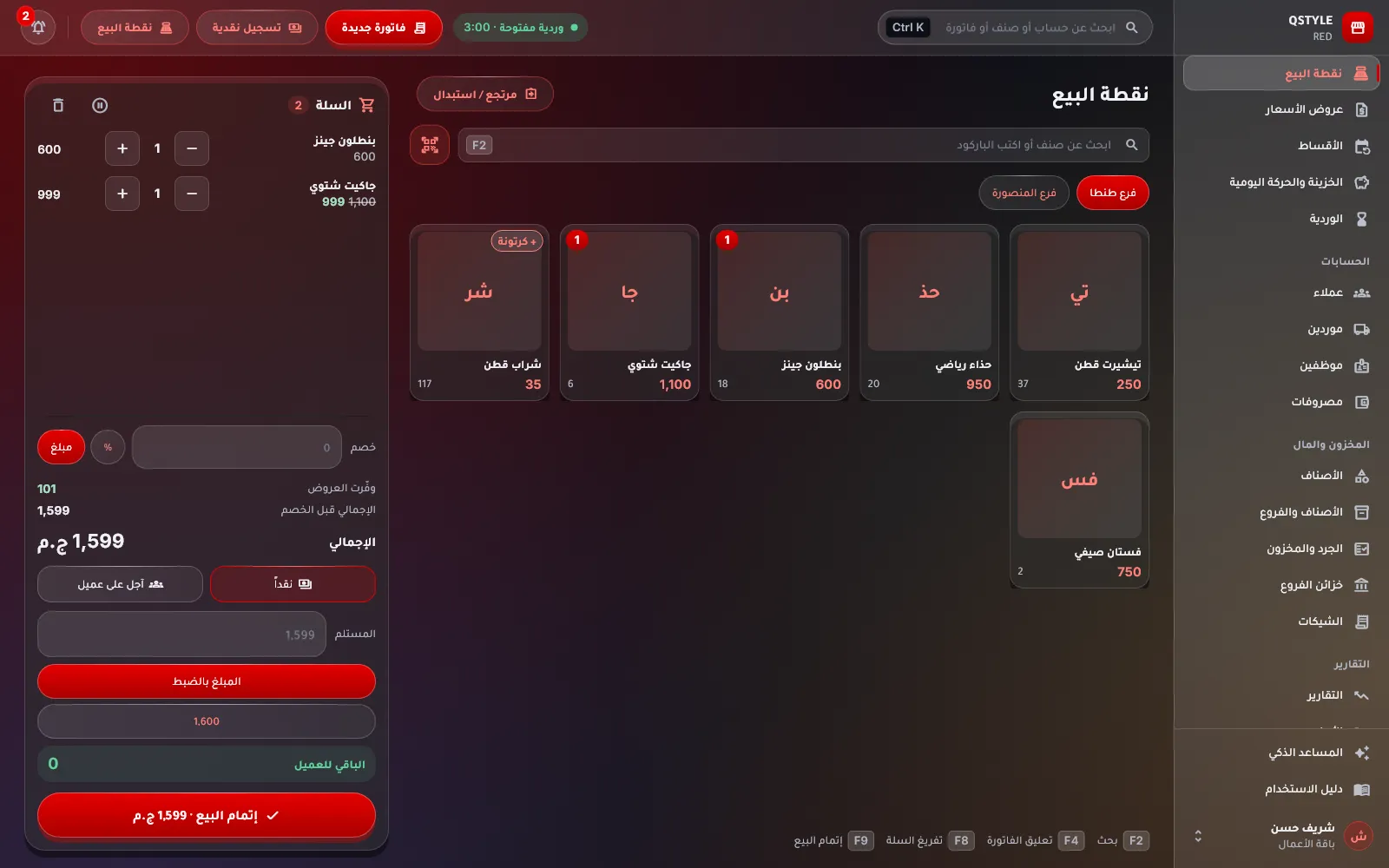
Open RED in the browser on the shop computer: a side menu, an invoice typed like a spreadsheet, barcodes from the scanner and printing on the thermal printer. The same account on your phone keeps every branch in view wherever you are.
redsystem.cloud/app
Keyboard invoicing: search in the item cell, F9 to save, no mouse needed
Quick search for anything with Ctrl+K
A dashboard with today’s profit, branch cash boxes and alerts
And the details that matter in a shop every day
Features designed around what shop owners and points of sale really need.
A web store
A link with your shop’s name shows your items with photos and prices and an order-on-WhatsApp button — at no extra cost.
Barcode labels
Print labels for your items and sizes from the app, on a label printer or A4 paper.
Cash boxes and wallets
Cash, e-wallet and bank per branch, transfers between them and a log for every box.
Thermal receipts
An 80 mm receipt with your logo, invoice number and cashier, or a full A4 invoice.
Five languages, your currency
Arabic, English, Turkish, French and Russian, and your country’s currency on every screen and report.
Dark mode
Easy on the eyes in the shop at night; follows your device or your choice.
Secure Google sign-in
No passwords to forget, every shop sees only its own data, and a full export whenever you want.
Import from Excel
Bring your items, models, customers and suppliers over from your current files in minutes.
Support and a guide
Message us from inside the app and get the reply there, plus a step-by-step guide and a smart assistant.
How it works
Start in 3 steps
Nothing to install and no accounting background needed.
1
Sign in with Google
Open RED in the browser on the computer or your phone, choose your language and country, and your free trial starts right away.
2
Create your branches, items and team
One branch or more, then items and models by hand or from Excel, then your staff with their roles. The guide walks you through it.
3
Open the shift and sell
From the first invoice at the counter, stock, cash and profit update by themselves.
A plan is yearly per branch and does not renew by itself: it runs to the end of the paid year and you renew by subscribing again. Employee accounts for clocking in and out do not count as users.
Ways to pay: In Egypt: InstaPay, Vodafone Cash or a bank transfer, then send the receipt on WhatsApp and it is active within hours. Outside Egypt: PayPal with your account or your card.
Frequently asked questions
Who is RED for?
Shops and points of sale: clothing, shoes, mobiles, supermarkets, pharmacies and hardware stores, from a single shop with one till to a chain of branches. A trader who sells on credit without a till or branches has our traders’ app from the same company; see the end of this page.
Does it work on the shop PC with a barcode scanner and a thermal printer?
Yes. Open RED in the browser on any Windows or Mac computer; the barcode scanner acts as a keyboard, so the item is added the moment you scan, and the receipt prints on an 80 mm thermal printer or on A4. You can also install it from the browser so it opens like a program.
I have several branches. How do I keep up with them?
Each branch has its own store, cash box, staff and shifts, and you see them all from your account: each branch’s sales, each drawer’s balance and what is low in each store. Move goods between branches with a document and count any branch remotely with a blind stocktake you approve.
I sell clothes and shoes in sizes and colours. Does it suit me?
Yes, it was built for that. Create the model once and pick its sizes and colours; RED creates every item with a barcode per size, the cashier picks the size from the model screen, and one report shows what sells in each size and colour.
How do I control what employees see?
With roles and permissions: the cashier sells without seeing the buying price or the cash box, the manager runs their branch, the accountant sees reports, and you can edit any role’s permissions yourself. On the till device each employee signs in with a PIN, so every invoice carries the name of who made it and every deletion or edit is logged.
How does attendance work?
You show the shop’s QR code on the till screen or print it, and the employee scans it from their phone; their clock-in is recorded with their location. Employees need no user seat, you see lateness and absence, and the month-end payroll is computed from actual attendance.
Do I need to know accounting?
No. You sell, buy and spend in everyday shop terms, and RED works out stock, cash, profit, the income statement and the financial position. A built-in guide and a smart assistant answer your questions.
Is my data safe? What if the internet drops?
Your data is stored in the cloud and protected by Google sign-in; nobody but you and your team, each within their permissions, can see it, and you can export a full copy any time. If the connection drops during a sale, the invoice is kept on the device and uploads by itself when it is back.
My data is in Excel or another program. Do I start from scratch?
No. Import items and models with their sizes and balances, and customers and suppliers with their balances, from an Excel or CSV file in minutes.
What does it really cost?
A fixed amount per branch per year that includes two users, and a fixed yearly price per extra user. No fees on the number of invoices, items or devices, and employee attendance accounts are free. The 14-day trial has every feature and needs no card.
How do I pay?
From “Pricing” inside the app. In Egypt: InstaPay, Vodafone Cash or a bank transfer, then send the receipt on WhatsApp and your plan is switched on within hours. Outside Egypt: PayPal with your account or your card.
For traders
A trader without a till or branches? Try Dafaaty
An app from the same company for wholesalers, distributors and small shop owners: customer and supplier statements, cash and credit invoices, cheques, cash box and stock — with the same Google account.